



This is our second additional unit for our home and office!
Loading...
weBoost Office 100 Signal Booster (50 Ohm) | 472060
The whole building gets dependable signal on every US carrier at once, and the Office 100 is the most affordable system in our commercial line.
$1,299.99
Unit price
/
Unavailable
Need a Quote? Get Yours Here
Included with your Office 100:
- 90-Day Returns
- Lifetime Tech Support
- 3-Year Warranty
- Lowest Price Guarantee


Get your questions answered, fast & free
US-Based Commercial SpecialistMon to Fri, 9 to 5 ET
Outside Antennas
The right outside antenna comes down to three things: how strong your signal is outside the building, the terrain around you, and which direction your cell towers are in. The stronger the antenna, the more signal your amplifier has to work with, and the more coverage you get inside.

- Omni Antenna: Receives signal from every direction with 4 dB of gain, and there's nothing to aim. Choose it when your outside signal is strong enough that you don't need extra gain, or when you're in a valley or hilly area where the signal bounces around a lot. Its wider, lower-gain pattern handles bouncing signal better than any other option here.
- High Gain Omni Antenna: Receives from every direction like the standard Omni, with up to 9 dB of gain instead of 4. This is the right choice for most buildings. You get close to the Yagi's power without having to aim anything, and it works when your carriers' towers sit in different directions.
- Yagi Antenna: A directional antenna with 10 dB of gain. Choose it when your signal is weak and comes mostly from one direction. You aim it at the tower, and its 75 degree view of the horizon means the aim doesn't have to be perfect.
- High Gain LPDA Antenna: The strongest of the four at 11 to 13 dB. Choose it when your outside signal is very weak. It needs a clear line of sight to the tower and careful aiming, so it takes the most work to set up, and it delivers the most coverage once it's aimed correctly.
Inside Antennas
The right inside antennas depend on your space. A typical floor with standard-height or drop ceilings usually calls for a dome antenna. Higher ceilings, multiple floors, or a spot you want to aim signal at call for a panel.

- Ultra-Thin Dome Antenna: This is what we usually recommend. It mounts to the ceiling and broadcasts in a circle around it, delivers more gain than the standard Dome at 4 to 6 dBi, and sits nearly flush so it blends into the ceiling.
- Dome Antenna: The standard version of the ceiling dome at 2 to 5 dBi. It costs a little less than the Ultra-Thin, covers a little less, and sticks out from the ceiling more.
- Panel Antenna: The most versatile of the three at 7 to 10 dBi. It's directional, so it sends signal where you point it instead of in a circle. Choose it for high ceilings, for covering two floors at once in a home (it broadcasts through the floor when aimed that way), for long narrow spaces like hallways, or when you're targeting one area and don't want signal going the other direction.
How Many Inside Antennas Do You Need?
Start with the square footage you need covered. In spaces with walls, one inside antenna covers 750 to 1,500 square feet. In open layouts, one covers 1,500 to 2,500. Divide your space by those numbers and you have your antenna count. Most offices end up needing more than one antenna per floor, and that's normal.
If you have questions, call us at 1-888-974-8237, Mon-Fri 9am-5pm ET.
Boosts 5G and 4G LTE on Every US Carrier, Including:


MVNOs like Mint, Cricket, and Visible run on these networks too, along with more than 90 regional carriers.
Introducing the Office 100
The Office 100 is the cell signal booster we point people to when a building needs commercial-grade signal but doesn't need everything our bigger systems bring. It's configurable the same way the Office 200 is, so it can be set up for anything from a small office suite to a metal-sided shop.
Offices are not the only buildings it ends up in. A big house, a cabin, or a metal building out past the edge of town runs into the same problem, and the Office 100 answers it the same way.
The change is immediate, and you notice it in small ways. Someone takes a call at the back of the building instead of walking outside for it, a message sends on the first try, and anything else in the building that talks to a cell tower is better off. It boosts every US carrier at the same time, so it doesn't matter whose phone shows up. It just runs, without touching your Wi-Fi or your internet service, and without anyone having to sign into anything or download anything.
Which outside antenna you want comes down to the signal and the terrain around you, and how many inside antennas you need, anywhere from one to four, comes down to how much space you're covering and how many walls break it up. That's 48 combinations in all. You can also hand the whole choice to us, and we'll pick the combination for your building and let you know what it should cover, free of charge.
The amplifier itself is small enough to disappear into a utility room, and it has LED status lights. Our bestselling Office 200 adds an LCD screen with live readings for each band, which is worth the step up if you want that view while you aim and troubleshoot. When the budget decides, the Office 100 is the one we'd put in the cart.
Installation is a real project, but a manageable one. Nothing in it is electrical. It's brackets, cable runs, and a standard wall outlet, and it's a day's work for anyone who pulls low-voltage cable for a living or keeps a building running. We help with the installation too, which in practice means our team is on the phone with you while it's happening, so you know where the inside antennas belong and how to point the one on the roof.
If the signal inside your building is the problem, this is the least expensive way to fix it properly. The coverage tables below will tell you roughly what to expect once you know your building type and what your signal looks like outside, the antenna sections lay out the choices, and if any of it is unclear, call us. We would rather talk it through than have you guess.
Please note: this is a 50 Ohm system with N-connectors. If you need F-connectors, see the weBoost Office 100 (75 Ohm).
At a glance
Covers up to 16,000 sq ftThe coverage tables below show what to expect, and if you tell us your outside signal and coverage area, we confirm your coverage before you buy.
Configured to your buildingYou choose the outside antenna and 1 to 4 inside antennas, and we help you get it right.
Made for commercial buildingsIncluding metal, steel, concrete, and basements that block signal.
Expert system design, includedWe design your system and send an itemized quote, at no charge.
You own it, no monthly feesBuy once, boosts every carrier.

It boosts every cellular device, not just phones
Every cellular device in your space, including the card readers, the alarm panel, and the LTE backup on your router, all get strong, reliable signal from this solution.
Works with 5G today
5G and 4G LTE are boosted out of the box and all future technologies that the carriers deploy to the frequency bands allowed by the FCC are supported.
There's someone on the other end when you need one
From planning the cable route to aiming the antenna, you can call and get a person who knows these systems, not a script.
The whole system is commercial-grade
The amplifier, antennas, cable and components are all commercial equipment, not consumer-grade, and are backed by an industry-leading equipment warranty.

Where the weBoost Office 100 Works Best
If your space is on this list, the Office 100 is built for it. The common thread is a smaller building where the signal inside doesn't match the signal in the parking lot.
- Smaller offices and suites. From the front desk to the back room, staff phones and client calls connect, and nobody has to stand in the doorway to get a text out.
- Shops, storefronts, and small retail. Payments clear at the counter, the register stays online, and phones still ring in the stockroom.
- Restaurants and cafes. The payment terminal keeps up through a lunch rush, delivery drivers reach you on the first call, and guests keep their bars while they eat.
- Small practices. For a dentist, a salon, or a one-room studio, a call that never comes through is an appointment that never gets booked.
- Garages, workshops, and metal buildings. Metal walls and a metal roof are about the hardest thing a signal has to get through, which is exactly the problem the Office 100 exists to solve.
- Big homes, cabins, and rural properties. The name says office, but a large house far from the tower gets the same fix for the same reason.
How the Office 100 Works
The Office 100 works by receiving the existing cell signal from nearby towers, amplifying it, and then broadcasting it throughout the building for better connectivity. The system also works in reverse, boosting the signal from your phones back to the tower, so calls hold up even when the tower is far away. We've walked through each step below in more detail.


The outside antenna receives the existing cell signalfrom the nearby cell towers and passes it over ultra-low-loss cable into the building.

The amplifier receives and boosts the cell signalby up to 72 dB, the max boosting allowed by the FCC, and then passes it to the inside antennas

The inside antennas broadcast the boosted signalthroughout the building, so you get reliable connectivity where your people work. You choose one to four, usually one per floor or zone.
Not Sure How to Configure It? We'll Help
Tell us about your situation and our team will work with you to design the right solution for your space. We'll help you pick the right type and number of outside and inside antennas, determine cable lengths, and even mark where each one should go on your floor plan.
There's no cost to you.
Ready? Get started with your expert system design now.
Looking for a Solution that Includes Installation?
The Office 300 comes with a High-Gain Omni antenna on the roof and two low-profile dome antennas inside, and the installation is included.
It's built for businesses that don't have anyone in-house to hand the installation to.
How Much of Your Building Will It Cover?
Coverage depends on two things: the existing signal strength outside your building and how open the space is inside. Locate your building type and outside signal strength below, and then see how much coverage you could get from numbers of inside antennas.
Open Spaces (Warehouses, Manufacturing Plants)
Wide, open square footage with few internal walls.
Inside Antennas
Weak outside signal1 to 2 bars, about -100 dBm
Moderate outside signal3 to 4 bars, about -90 dBm
Strong outside signal5 bars, -80 dBm or better
1 inside antennaA single zone or one open area
2,500 sq ft
5,000 sq ft
6,500 sq ft
2 inside antennasTwo zones or a larger floor
3,500 sq ft
8,000 sq ft
10,500 sq ft
3 inside antennasThree zones or a big open floor
Not recommended
10,500 sq ft
13,500 sq ft
4 inside antennasThe full build
Not recommended
13,000 sq ft
16,000 sq ft
Weak outside signal: 1 to 2 bars, about -100 dBm
Moderate outside signal: 3 to 4 bars, about -90 dBm
Strong outside signal: 5 bars, -80 dBm or better
1 inside antennaA single zone or one open area
Weak outside signal
2,500 sq ft
Moderate outside signal
5,000 sq ft
Strong outside signal
6,500 sq ft
2 inside antennasTwo zones or a larger floor
Weak outside signal
3,500 sq ft
Moderate outside signal
8,000 sq ft
Strong outside signal
10,500 sq ft
3 inside antennasThree zones or a big open floor
Weak outside signal
Not recommended
Moderate outside signal
10,500 sq ft
Strong outside signal
13,500 sq ft
4 inside antennasThe full build
Weak outside signal
Not recommended
Moderate outside signal
13,000 sq ft
Strong outside signal
16,000 sq ft
A weak outside signal cannot be split across 3 or 4 inside antennas, which is why those cells read Not recommended.
These numbers assume a Yagi or High-Gain Omni outside antenna. An LPDA adds roughly 20 percent with a weak or moderate outside signal, and a standard Omni covers less. If your outside signal is weak, call us first and we will design the system around it.
Office Suites with Internal Walls
Offices, cubicles, and rooms that break up the signal.
Inside Antennas
Weak outside signal1 to 2 bars, about -100 dBm
Moderate outside signal3 to 4 bars, about -90 dBm
Strong outside signal5 bars, -80 dBm or better
1 inside antennaA single room or small suite
1,500 sq ft
3,000 sq ft
4,000 sq ft
2 inside antennasTwo rooms or a small floor
2,000 sq ft
5,000 sq ft
6,500 sq ft
3 inside antennasA larger office, three zones
Not recommended
6,500 sq ft
8,000 sq ft
4 inside antennasThe full build
Not recommended
8,000 sq ft
9,500 sq ft
Weak outside signal: 1 to 2 bars, about -100 dBm
Moderate outside signal: 3 to 4 bars, about -90 dBm
Strong outside signal: 5 bars, -80 dBm or better
1 inside antennaA single room or small suite
Weak outside signal
1,500 sq ft
Moderate outside signal
3,000 sq ft
Strong outside signal
4,000 sq ft
2 inside antennasTwo rooms or a small floor
Weak outside signal
2,000 sq ft
Moderate outside signal
5,000 sq ft
Strong outside signal
6,500 sq ft
3 inside antennasA larger office, three zones
Weak outside signal
Not recommended
Moderate outside signal
6,500 sq ft
Strong outside signal
8,000 sq ft
4 inside antennasThe full build
Weak outside signal
Not recommended
Moderate outside signal
8,000 sq ft
Strong outside signal
9,500 sq ft
These figures are estimates, exact coverage depends on your outside signal, building materials, and layout.
No usable signal outside means a booster cannot fix it, and we will tell you that before you spend anything. Not sure? Call us at 1-888-974-8237.
Not sure which setup you need?
Send us a floor plan or give us a call, and our design team will work out the right setup with you, no charge.
If your building is larger than one system can cover, or your outside signal is weak, we design multi-unit and larger systems too. The same free design covers it.

Outside Antenna Options
The outside antenna is what receives signal from the tower, so choosing the right one decides how much the rest of the system has to work with. Here's an overview to help you choose the right outside antenna option:
- Yagi Directional Antenna: Great for areas where you have a weak existing outside signal. With 10 dB of gain, it's second in power only to the LPDA and it offers a 75 degree view of the horizon so you don't have to be pinpoint accurate when aiming it.
- Omni Antenna: A good choice for areas with hilly or mountainous terrain and there's no clear line of sight to a cell tower. Provides 4 dB of gain and sends and receives signal in all directions, so it can still work with bouncing or reflected signals. Will provide the least amount of inside coverage, but is the only antenna that can handle fluctuating or bouncing signal.
- High-Gain Omni Antenna: For situations where you want the flexibility of an omni but with more power. Provides up to 9 dB of gain depending on the frequency, offering a major upgrade in performance over the standard omni. Best when signals come from multiple directions and the standard omni doesn't provide enough inside coverage.
- High-Gain LPDA Antenna: Designed for remote locations with very weak existing signal. It offers 11 to 13 dB of gain (making it the strongest of the four) but requires direct line of sight to the distant cell tower for best performance. It's the hardest to aim because it's so precise, but it will give you the most coverage once you have it dialed in.

Inside Antenna Options
The makeup of your ceilings and structure of your building will determine what inside antennas you need. Here's an overview to help you choose the right type and number of inside antennas.
- Panel Antenna: This is a directional antenna that mounts to a wall, ceiling or floor and focuses signal in one direction. It's great for targeting specific areas or covering multiple floors. It offers higher gain (7-10 dBi) than dome antennas and works well for multi-story homes, long narrow spaces, or locations with high ceilings.
- Standard Dome Antenna: A ceiling-mounted antenna that broadcasts signal in all directions. It's a good option for spaces with drop ceilings where cables can be run above the tiles. With an average gain of 2-5 dBi, it's an economical choice.
- Ultra-Thin Dome Antenna: A sleek, low-profile version of the standard dome, designed for spaces where aesthetics and performance matter. It delivers more power (4-6 dBi) and is ideal for spaces where the antenna needs to blend seamlessly with the ceiling. The cables need to be run above the ceiling for the ultra-thin dome as well.
How Many Inside Antennas do You Need?
For most spaces with walls, one antenna typically covers 750 to 1,500 square feet, while in larger, open areas without walls, an antenna can cover 1,500 to 2,500 square feet. Use this as a basis for determining the number of antennas you need.


What the Installation Process Involves
Here's an overview of how to install the Office 100 so you can understand what is involved. Contact us if you'd like to discuss your specific building and how to perform the installation there.
Pro Tip - Do a soft install first: Run everything loosely, power on the system, and walk the building to check coverage. If it looks good, then mount everything permanently. If there are dead spots still, then you'll likely need to move antennas and walk the space again.
Mount the outside antenna on the roof
The outside antenna is usually mounted on the roof of the building, so plan for a ladder and safe roof access. Pole, wall, and non-penetrating roof mounts are all options, so you'll have to decide which is the best mounting option based on your roof style. Each antenna ships with its mounting bracket, and pole and specialty mounts are sold separately.
Prior to installing the antenna, you should determine which side of the building gets the best signal and locate the mount there, then aim the antenna towards the nearby cell towers.
Run the coax cable inside
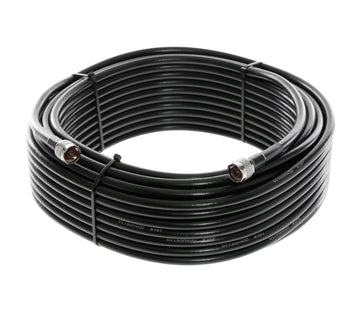
If you have an existing cable pathway into the building, then use that, otherwise, you may need to drill one small sealed entry point (confirm that this does not void your roof warranty first) and route the cable inside the building to the amplifier. The 400-series cable is outdoor rated, and the shortest clean route wins, as every extra foot results in lost signal, so efficient cable runs are important. If you need a longer run, cables up to 100 ft are available, and past that our team can spec higher-grade cable with less signal loss.
Add conduit anywhere the run is exposed to weather or foot traffic.
Mount the amplifier
The amplifier hangs on a wall in a protected area, like a utility room or IT closet. It's powered by a standard wall outlet. Make sure there are cable pathways from the roof and to each area that you need to mount inside antennas.
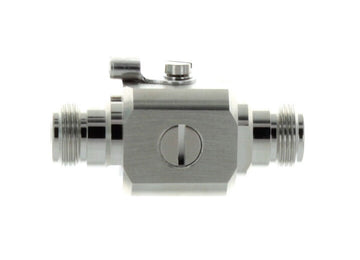
Connect the cable from the outside antenna to the lightning protector and then the external antenna cable port on the amp.
Run coax cable and mount the inside antennas
Run coax cable from the amplifier to each of the antenna locations and then mount the antenna in the designated spots. You'll need to use a cable splitter (included) off of the amplifier if you have more than one inside antenna.
If you're not sure where to locate the inside antennas, then contact us and we can help you mark them on a floor plan.
Power on the system
Once everything is installed, power on the system and check the coverage in the space. If you're happy with the performance, then you're done, but if there are still coverage gaps, then you'll need to troubleshoot. Call us for assistance with that.
What it takes. A drill, a ladder, and a good block of time. The work is mounting, cable routing, and plugging in rather than anything electrical, so any low-voltage or facilities contractor can handle it.
You are not on your own. Our team walks you or your installer through placement and aiming over the phone, and that is the part that decides how well it performs.
If you rent, roof work will need the landlord to sign off, so get that approved before moving forward with a system.
Which Office Solution is Right for You?
We break down the whole line of weBoost office boosters.
Installation
Requires self-installation
Professional installation included
Requires self-installation
Coverage
Based on your configuration and outside signal. See the coverage tables above for the figures.
Up to 20,000 sq ft, depending on your antenna setup
Matches a 2-antenna Office 200, professionally installed
Up to 16,000 sq ft, depending on your antenna setup
Cable
Lower-loss cable delivers more of the amplifier output to your antennas.
400-series ultra-low-loss, included
Installer-supplied RG6, more loss
400-series ultra-low-loss, included
Outside Antenna
Yagi, Omni, High-Gain Omni, or LPDA
High-Gain Omni
Yagi, Omni, High-Gain Omni, or LPDA
Inside Antenna
Panel, Dome, or Ultra-Thin Dome
Low-Profile Dome
Panel, Dome, or Ultra-Thin Dome
Number of Inside Antennas
Up to 4
2
Up to 4
Best for
Most offices, retail floors, and small warehouses
When you want it designed and installed by an expert
The entry-level pick when budget wins and you can work without the LCD display.
Installation
Requires self-installation
CoverageBased on your configuration and outside signal. See the coverage tables above for the figures.
Up to 20,000 sq ft, depending on your antenna setup
CableLower-loss cable delivers more of the amplifier output to your antennas.
400-series ultra-low-loss, included
Outside Antenna
Yagi, Omni, High-Gain Omni, or LPDA
Inside Antenna
Panel, Dome, or Ultra-Thin Dome
Number of Inside Antennas
Up to 4
Best for
Most offices, retail floors, and small warehouses
Installation
Professional installation included
CoverageBased on your configuration and outside signal. See the coverage tables above for the figures.
Matches a 2-antenna Office 200, professionally installed
CableLower-loss cable delivers more of the amplifier output to your antennas.
Installer-supplied RG6, more loss
Outside Antenna
High-Gain Omni
Inside Antenna
Low-Profile Dome
Number of Inside Antennas
2
Best for
When you want it designed and installed by an expert
Installation
Requires self-installation
CoverageBased on your configuration and outside signal. See the coverage tables above for the figures.
Up to 16,000 sq ft, depending on your antenna setup
CableLower-loss cable delivers more of the amplifier output to your antennas.
400-series ultra-low-loss, included
Outside Antenna
Yagi, Omni, High-Gain Omni, or LPDA
Inside Antenna
Panel, Dome, or Ultra-Thin Dome
Number of Inside Antennas
Up to 4
Best for
The entry-level pick when budget wins and you can work without the LCD display.
What's Included
Every configuration ships complete. Here is what arrives. Each antenna includes its mounting bracket, and pole mounts or longer cable runs are available if you need them.
-

weBoost Office 100 Amplifier with Power Supply
-

Outside Antenna
(High-Gain Omni, Omni, Yagi, or LPDA) -

Up to 4 Inside Antennas
(Panel, Dome, or Ultra-Thin Dome) -
75 ft of 400-Series Cable for the Outside Antenna Run
-
60 ft of 400-Series Cable for Each Inside Antenna
-
Lightning Protector
-
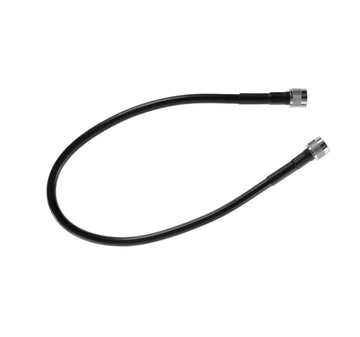
2 ft 400-Series Cable
-

2, 3, or 4-Way Splitter for Multiple Inside Antennas
The Support that Comes With It
System Design & Configuration
Talk through your building and antenna choices with our team before you order.
Installation Support
Our team has decades of combined experience guiding customers through the installation process.
Troubleshooting & Optimization
Our team is here to help you fix problems and maximize system performance.
Lifetime Support
We're here to provide help and guidance for as long as you run the system.
Specifications
| Max gain | 72 dB, the FCC maximum for multi-carrier commercial boosters |
| Frequency bands | 700, 850, 1900, and 1700/2100 MHz |
| Carriers | All US carriers at once |
| Outside antenna | Choice of Omni, High-Gain Omni, Yagi, or High-Gain LPDA |
| Inside antennas | Choice of Ultra-Thin Dome, Dome, or Panel |
| Number of Inside antennas | Up to 4 |
| Amplifier size | 6 x 6 x 1.8 inches, 1.9 lbs |
| Connectors | N connectors, 50 Ohm |
| Power | 110 to 240V AC, standard outlet |
| Warranty | 3-year manufacturer warranty |
| Surge protection | Lightning protector included |
Product Documents
Download or send them along before you buy.
weBoost Office 100 Installation Guide weBoost Office 100 Spec Sheet weBoost Office 100 One PagerRegulatory Advisories
The FCC classifies every multi-carrier signal booster, including commercial units like this one, as a consumer device, so the required advisory below uses that term.
This is a CONSUMER device.
BEFORE USE, you MUST REGISTER THIS DEVICE with your wireless provider and have your provider's consent. Most wireless providers consent to the use of signal boosters. Some providers may not consent to the use of this device on their network. If you are unsure, contact your provider. You MUST operate this device with approved antennas and cables as specified by the manufacturer. Antennas MUST be installed at least 20 cm (8 inches) from any person. You MUST cease operating this device immediately if requested by the FCC or a licensed wireless service provider. WARNING. E911 location information may not be provided or may be inaccurate for calls served by using this device.
Please note, the three largest carriers (AT&T, T-Mobile, and Verizon) and more than 90 regional carriers have given blanket consent for use of all boosters certified to the current FCC standards. Registration itself is a quick form on your carrier's website, not a permission request, so for nearly every buyer approval is already in place.
Why Buy from Us
Authorized weBoost Dealer
You're not just buying a booster. You're getting the commercial team behind it.

Steph
Commercial Specialist

Erin
Commercial Specialist

Jason
System Design, iBwave Certified

Dan
Commercial Systems Lead
Call before you buy, during your install, or any time after. When something's wrong, our team is here to support you.
Expert System Design, Included
Work with the people who design these systems every day. Tell us about your building and our design team picks the antennas, plans the cable runs, confirms the coverage you should expect, and sends an itemized quote you can route for approval. You get the right system the first time, without having to become an antenna expert to buy one, and we stay with you through installation and troubleshooting.
What happens next
1
Send us the building
A floor plan, a few photos, or a five minute call. Whatever you have is enough to start.
2
We design the system
A real person picks the outside antenna, the inside antenna types and count, and the cable lengths, and marks where everything goes on your floor plan.
3
You get an itemized quote
Ready for whoever approves it, usually within one business day.
4
You order, we stay on it
We support the install and the system after it, so the design keeps performing.
If You Need:
POs and Net Terms
Send the PO or pay by card, either works.
Tax-Exempt Processing
Email the certificate and we take it from there.
W-9s and Vendor Onboarding
Send the forms and we'll return them filled out.
Multi-Site Rollouts
We'll quote you the right number of units and coordinate installation for you.
No Cost, No Obligation
The design and the itemized quote are complimentary. If a booster will not work for your building, we tell you before you spend anything.
Get Started
Schedule a Call
or call
1-888-974-8237
or
Request a Quote
Typical response: within one business day
Reviews
Real experiences from Office 100 customers.
